If you’ve played Mad Island, you know it isn’t that easy. It takes time to gather resources, build a base, and run from monsters. But if you want a shortcut or just want to explore and have fun without stress, Mad Island cheat commands are perfect for you.
I’ve tried all these Mad Island cheats, and honestly, some of these commands take the game to a new level. Let’s see how to use them and which cheat codes work best.
How to Enable Mad Island Cheats
First of all, press the Enter key. This will open a small box in the bottom-left corner of your screen. Now type in the command you want to execute in the game.
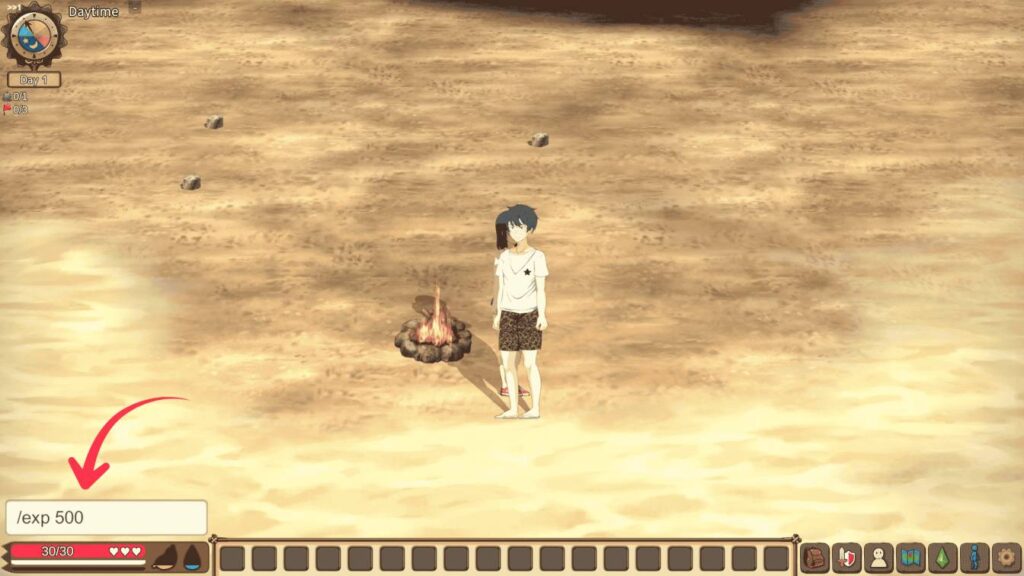
Keep one thing in mind – commands are case-sensitive. That means if you use capital letters, the command will not work. Always use lower-case letters to make the commands work in your game. That’s all!!
Now, let’s see some of the most useful Mad Island 2026 commands, cheats, and their uses.
Mad Island’s Character Cheats
Below are some of the most useful commands that you can use to increase your character’s stats, speed, and overall progression.
- /exp (Amount) – Instantly adds experience points. Example: /exp 500
- /run (1-15) – Adjust your running speed. Set it to 15 and watch yourself zoom around. Example: /run 15
- /atk – Modify your attack stats.
- /point (+Amount) – Use this code to get extra status points.
- /point skill (+Amount) – This grants you both status and skill points together.
- /change – Swaps your HP and MP values.
- /followcap (Amount) – Sets the maximum number of followers you can have.
- /yonadown: Makes Yona lie down for H-scenes.
World & General Commands
These Mad Island commands make it very easy to explore and gather resources.
- /testitems – Spawns a bunch of items near the beach spawn point
- /collectall – Instantly collects everything in your collection
- /get (Item ID) (Amount) – Add any item with a specific quantity directly to your inventory if you know its ID. Example: /get gold_01 500 (This will add 500 gold ores to your inventory.)
- /mapopen – Reveals the entire map (resets when you reload)
- /mapID – Shows your current coordinates
- /tp (1–399) – Teleport to any specific map grid location
- /wp base – Teleport straight back to the beach spawn point
My personal favorite is the /mapopen command. Just look at the map once before you go to a new place, and you will know where to go exactly.
Time & Weather Cheats
Sometimes you need the perfect lighting for a screenshot or a task that only works at night. These commands give you plenty of options to change the weather and time.
- /night – Instantly turns to night
- /dawn – Sets time to dawn
- /eve – Sets time to evening
- /noon – Sets time to noon
- /weather 0 – Clear, sunny skies
- /weather 1 – Starts raining
- /weather 2 – Blood rain – looks pretty creepy but kind of cool too
Honestly, the blood rain effect is my favorite. If you’re going for a horror vibe, don’t skip this one.
Recommended Read: Anomalous Coffee Machine 2 Cheat Codes
NPC Commands
If you want to summon people to your base, or interact with specific NPCs, below are the cheat codes you need.
- /getgen (ID) – Adds a stunned NPC to your inventory, or spawns an animal next to you if targeted
- /petmax – Maxes out the taming level for all your captured animals
- /resetpos – Sends an NPC back to their original area
- /npc (Number) – Summons a neutral NPC
- /body (Number) – Spawns a dead body of an NPC
- /friends – Summons all your friends at once
- /friend (Number) – Summons a specific friendly NPC by their ID
- /allage – Sets all friendly NPCs to random ages.
- /love – Increases the love level of companion NPCs.
- /inclove – Increases a companion NPC’s love by 100.
- /libido – Increases a companion NPC’s libido by 100.
- /preg – The selected native woman becomes pregnant.
- /allpreg – All native women become pregnant.
- /makevill – Instantly adds 30 natives to your village
- /pat (Amount) – Summons a native patrol of your chosen size
- /ass start – Triggers a raid on your base (enter the command again to stop it)
- /resetpos: Returns an NPC to their designated territory.
Be a little careful with some IDs, though; some NPCs spawn hostile, meaning they’ll attack straight away.
Ready-Made Cheat Packs – Just Copy, Paste, and Enjoy
If you don’t want to remember individual commands, use these ready-made combos based on your playstyle.
1. Quick Start Pack
Use the commands below to get x999 Wood, x999 Stone, x999 Fiber, x1 Stone Axe, x1 Stone Pickaxe, x5000 Experience points, and reveal the entire map.
/get wood_01 999
/get stone_01 999
/get fiber_01 999
/get wp_axe_01 1
/get wp_pickax_01 1
/exp 5000
/mapopen
If you want rare materials in your gameplay, you can use the Mad Island below cheat codes.
- /get soil_01 50: Get 50 units of soil.
- /get iron_01 50: Provides 50 units of iron ore.
- /get gold_01 50: Grants 50 units of gold ore.
- /get diamond_01 50: x50 diamonds.
- /get ore_purple_01 50: x50 purple ore.
- /get titanium_01 50: x50 titanium.
- /get glass_01 50: x50 glass.
- /get goldingot_01 50: x50 gold ingot.
- /get ironingot_01_01 50: x50 iron ingot.
2. Village Builder Pack
/makevill
/followcap 50
/allage
/fix
/get wood_02 999
/get iron_01 999
/wp_pickax_02
/wp_shovel_02
/arrow_02
The above codes will provide you with good resources that you can use to build your own village.
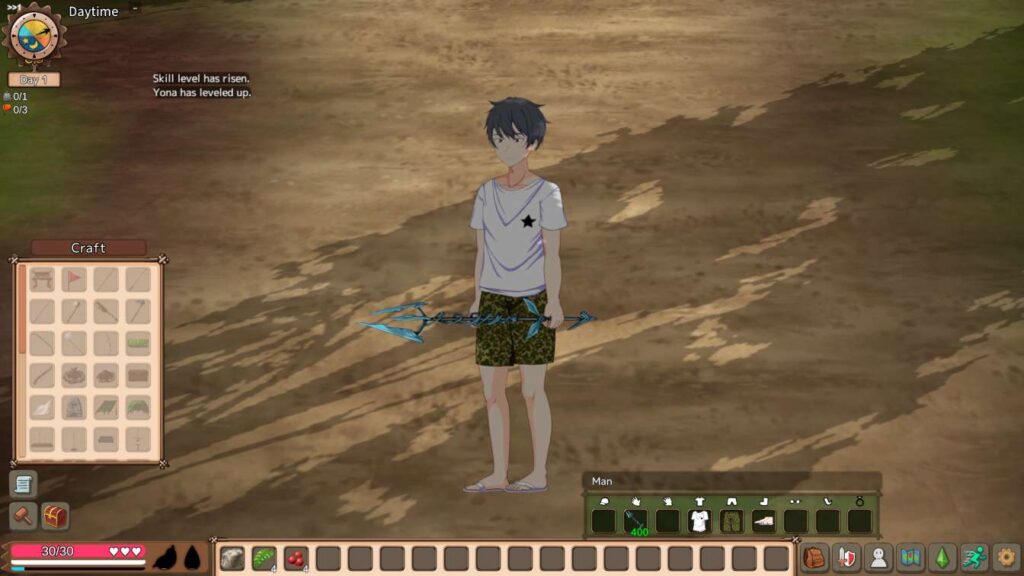
3. God Mode Pack
/point +99999
/point skill +9999
/atk 9999
/run 15
/get wp_sword_dia 1
/get repairkit_01 99
9999 attack power, max speed, and a diamond sword.
4. Designer & Decorator Pack
For players who love customizing their base.
First, unlock these special workbenches:
/get bench_pretty 1
/get bench_summer 1
/get bench_halloween 1
/get bench_xmas 1
Then you can spawn furniture, walls, lights, seasonal decorations etc by their item IDs.
Mad Island Console Commands List
| Command | Description |
|---|---|
/mapopen | Reveals the entire map by removing fog of war. This command must be entered again after reloading a save file. |
/change | Switches the player character’s gender. |
/life x heal x hp | Restores health and allows custom HP adjustments. Replace x with your desired value. |
/point +10k status +100 skill | Grants 10,000 status points and 100 skill points instantly. |
/exp x add x exp | Adds a chosen amount of experience points to your character. |
/testitems | Spawns a large collection of items near your campsite. |
/atk x | Sets your attack value to the specified number. |
/collectall | Unlocks and collects all available collection items. |
/regen | Attempts to regenerate resources throughout the game world. |
/friend x | Summons a friendly NPC using the specified NPC ID. |
/allpreg | Applies pregnancy status to all eligible companions or villagers. |
/body x y | Creates y dead bodies of NPC or monster x. |
/weather number | Changes the current weather condition based on the selected weather ID. |
/night | Changes the time to nighttime. |
/dawn | Sets the time to early morning. |
/eve | Changes the time to evening. |
/noon | Sets the time to midday. |
/ass start | Starts a village assault or raid event. |
/assend | Immediately stops the active assault event. |
/fix | Repairs damaged structures and houses. |
/foodpoison 0-100 | Adjusts food poisoning level between 0 and 100. |
/inclove | Increases affection or love by 100 points. |
/declove | Reduces affection or love by 100 points. |
/allage | Randomizes the ages of villagers and NPCs. |
/makevill | Adds 30 random villagers to your settlement. |
Resource & Item Spawn Commands
| Command | Result |
|---|---|
/get wood_01 99 | Adds 99 Wood to inventory. |
/get iron_01 99 | Adds 99 Iron Ore to inventory. |
/get repairkit_01 99 | Adds 99 Repair Kits to inventory. |
/get mushroom_01 (Quantity) | Spawns the selected quantity of Red Mushrooms. |
/get mushroom_02 (Quantity) | Spawns the selected quantity of White Mushrooms. |
/get mushroom_03 (Quantity) | Spawns the selected quantity of Green Mushrooms. |
/get mushroom_04 (Quantity) | Spawns the selected quantity of Purple Mushrooms. |
Time Control Commands
| Command | Effect |
|---|---|
/night | Night |
/dawn | Sunrise / Early Morning |
/eve | Evening |
/noon | Midday |
Village & Relationship Commands
| Command | Effect |
|---|---|
/friend x | Summon a friend using an NPC ID |
/inclove | +100 Love |
/declove | -100 Love |
/allage | Randomize NPC ages |
/makevill | Add 30 random villagers |
/allpreg | Apply pregnancy status to all eligible NPCs |
Combat & Utility Commands
| Command | Effect |
|---|---|
/atk x | Set attack power |
/exp x add x exp | Gain experience points |
/point +10k status +100 skill | Add status and skill points |
/life x heal x hp | Heal and modify HP |
/collectall | Unlock all collection items |
/testitems | Spawn large quantities of items |
/regen | Regenerate resources |
/fix | Repair structures |
/mapopen | Reveal entire map |
/change | Change character gender |
Mad Island NPC ID List
| NPC ID | NPC Name | Notes |
|---|---|---|
| 0 | Yona | Cannot be interacted with |
| 1 | Guy | Appears outside inventory via /getgen; non-hostile and stationary. Use /friend 1 for interaction |
| 2 | Riona | Spawns hostile when generated |
| 3 | Little & Nickey | Appears outside inventory and attacks immediately |
| 5 | Reika | Appears outside inventory; friendly and stationary |
| 6 | Nami | Appears outside inventory; friendly and stationary |
| 7 | Takumi | Appears outside inventory; friendly and stationary |
| 8 | Keigo | Appears outside inventory; friendly and stationary |
| 10 | Native Male | Standard native NPC |
| 11 | Large Native Male | Larger native variant |
| 12 | Dwarf Native Male | Throws Molotov cocktails |
| 13 | Guard | Defensive NPC |
| 14 | Native Boy | Child NPC |
| 15 | Native Female | Standard female native |
| 16 | Native Girl | Female child NPC |
| 17 | Large Native Female | Larger female native |
| 18 | Old Native Male | Elder male native |
| 19 | Old Native Female | Elder female native |
| 20 | Bear | Wild animal |
| 21 | Small Spider | Creature |
| 22 | Bat | Flying creature |
| 23 | Crocodile | Hostile wildlife |
| 24 | Wolf | Predator |
| 25 | Bigfoot (Yeti) | Rare creature |
| 26 | Nepenthes | Immobile hostile plant; spawns outside inventory |
| 27 | Mandrake | Plant creature |
| 28 | Bee | Flying insect |
| 29 | Wooper | Creature |
| 30 | Medium Spider | Larger spider |
| 31 | Angler | Hostile creature |
| 32 | Scorpion | Hostile; appears outside inventory |
| 33 | Leech | Parasite creature |
| 34 | Electric Eel | Aquatic enemy |
| 35 | Werewolf | Monster |
| 36 | Ostrich (Neck) | Ostrich variant |
| 37 | Sandworm | Immobile hostile enemy |
| 38 | Ostrich Chick | Hostile juvenile ostrich |
| 39 | Skeleton | Undead enemy |
| 40 | Ghost | Hostile spirit |
| 41 | Eater | Monster |
| 42 | Female Mummy | Undead creature |
| 43 | Daddy (Male Mummy) | Hostile mummy |
| 44 | Underground Woman | Underground NPC |
| 45 | Underground Old Woman | Hostile underground NPC |
| 46 | Underground Man | Hostile underground NPC |
Farm Animals & Wildlife
| NPC ID | NPC Name | Notes |
|---|---|---|
| 50 | Rabbit | Wildlife |
| 51 | Deer | Wildlife |
| 52 | Bird | Wildlife |
| 53 | Rooster | Farm animal |
| 54 | Frog | Appears outside inventory |
| 55 | Pig | Appears outside inventory |
| 56 | Butterfly | Passive creature |
| 57 | Crab | Coastal creature |
| 58 | Hen | Farm animal |
| 59 | Chicken | Chicken variant |
| 60 | Mouse | Small animal |
| 61 | Sheep | Appears outside inventory |
| 62 | Cow (Milky) | Produces milk |
| 63 | Pink Cow (Pink Milky) | Special cow variant |
| 64 | Pork | Appears outside inventory |
| 65 | Corrupted Tree | Hostile enemy |
| 66 | Kangaroo (Ruck) | Friendly unless attacked |
| 67 | Dark Tree | Hostile tree creature |
| 68 | Ent | Hostile tree monster |
| 69 | Baphomet (Goat) | Special creature |
| 70 | Shark | Hostile; limited movement on land |
| 71 | Mermaid | Friendly; /friend 71 recommended |
| 78 | White Tiger | Rare predator |
| 79 | Turtle | Passive creature |
Guardians, Robots & Advanced Enemies
| NPC ID | NPC Name | Notes |
|---|---|---|
| 80 | Small Guardian | Hostile |
| 81 | Specter | Hostile spirit |
| 82 | Guardian Dog | Hostile |
| 83 | Scrap Golem | Hostile construct |
| 84 | Guardian Warrior | Hostile guardian |
| 85 | Prototype A | Hostile robot |
| 86 | Prototype B | Hostile robot |
| 87 | Prototype C | Hostile robot |
| 88 | Cyborg | Hostile; randomized body parts |
| 89 | Young Man | Human NPC |
| 90 | Elder Sister Native | Native NPC |
| 91 | Elder Brother Native | Native NPC |
| 92 | Sand Cat | Desert creature |
| 93 | Balphant | Creature |
| 94 | Snail | Spawns underground |
| 95 | Blood Snail | Underground hostile variant |
| 96 | Firefly | Appears outside inventory |
| 97 | Blood Kangaroo | Friendly unless attacked |
| 98 | Maid Kangaroo | Friendly unless attacked |
Story NPCs & Bosses
| NPC ID | NPC Name | Notes |
|---|---|---|
| 100 | Old Guy (Uncle) | Quest NPC; friendly spawn |
| 101 | Spike (Giant Spider) | Off-screen hostile boss |
| 102 | Dr. Ed | Non-interactive |
| 103 | Planton | Immobile and passive |
| 104 | Native Boss | Immobile boss |
| 105 | Scythe (Desert Boss) | Immobile boss |
| 106 | Cassie (Cyborg) | Hostile cyborg |
| 107 | Nex (Mountain Boss) | Immobile boss |
| 108 | Bandana (Bandit) | Immobile NPC |
| 109 | Hat (Bandit) | Immobile NPC |
| 110 | Giant | Immobile giant |
| 111 | Trader | Appears outside inventory and hostile |
| 112 | Dalman (Lab Boss) | Immobile boss |
| 113 | Cassie (Human) | Hostile human version |
| 114 | Shino | Immobile NPC |
| 115 | Sally | Immobile NPC |
| 120 | Ent King | Immobile boss |
| 121 | Ent Queen | Immobile boss |
Special Objects & Event NPCs
| NPC ID | NPC Name | Notes |
|---|---|---|
| 150 | Bee Hive | Non-interactive; periodically spawns hostile bees |
| 151 | Nex Egg | Invisible at first; hostile after hatching |
| 152 | Crayfish | Visible only in water |
| 153 | Chaperone | Hostile NPC |
| 160 | Jack O’Lantern | Halloween event NPC |
| 161 | Halloween Ghost | Hostile event enemy |
Supported Commands
| Command | Purpose |
|---|---|
/npc ID | Spawn a neutral NPC |
/friend ID | Spawn a friendly NPC |
/body ID | Spawn an NPC corpse |
/getgen ID | Generate/capture an NPC |
/petmax | Maximize taming level for all captured NPCs |
Note: “Outside Inventory” means the NPC appears directly in the game world next to the player. “Hostile” means the NPC will attack immediately after spawning.
Where to Find Mad Island Item IDs
Looking for a specific item? Here’s where to check:
- Clothing – Head (hat_00–hat_78), Upper Body (cloth_00–cloth_100), Lower Body (clothu_00–clothu_100), Shoes (shoes_00–shoes_62)
- Halloween Items – hat_65 to hat_78, cloth_65 to cloth_78, and more
- Christmas Items – cloth_89 to cloth_93, plus anything starting with xmas_
- Resources – wood_01, stone_01, iron_01, fiber_01, herb_01, etc.
- Food – Raw foods, cooked meals, fish, and seasonal items
- Crafting Stations – Wood, iron, sand, plant, and seasonal workbenches
For the full list, check out our Mad Island Item IDs guide.
FAQs
Q: My command isn’t working. What do I do?
A: First, check that you typed it in lowercase. Also, make sure spacing is correct, and item IDs are spelled exactly right.
Q: Will using cheats mess up my save file?
A: Generally, cheats are safe for single-player or sandbox play. But if you’re worried about your main save, create a backup first.
Q: Is /mapopen permanent?
A: No, the fog comes back every time you reload the game. You’ll need to use the command again each time.
Q: Where can I find item IDs for specific gear?
A: Check our Mad Island Item IDs guide – it has the complete list organized by category.
Q: Can I use multiple commands together?
A: Of course! Just enter them consecutively in the chat window. A lot of players do this and make their own custom “cheat packs.”