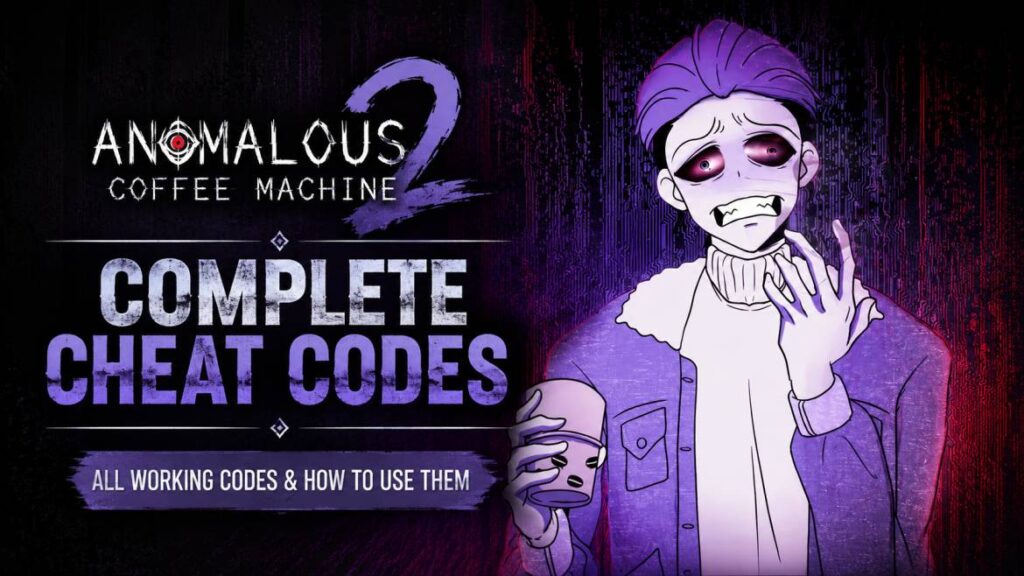
So I downloaded this game last week after seeing a lot of screenshots in the community, and I’ll be honest – my first 20 minutes were spent just staring at the main screen. I was confused and wondering where on earth the input box even was. No tutorial pop-up, nothing obvious. I almost gave up and uninstalled it, but I’m glad I didn’t, because once you figure out the basics, this game is actually pretty addictive.
This guide has everything I learned the hard way, such as finding the input box, understanding how transformations work, every Anomalous Coffee Machine 2 cheat code I could find, and a few things that genuinely surprised me while playing.
Quick Reference: All Anomalous Coffee Machine 2 Cheat Codes
If you’re just here for the Anomalous Coffee Machine 2 cheat sheets and don’t want to read through my whole experience (no hard feelings, I get it), here’s everything in one place. Bookmark this table.
| Cheat Code | What It Does |
|---|---|
| formbruteloader | Instantly unlocks every transformation form in the game |
| horudevmode | Full developer mode – unlocks everything, including hidden/debug content |
| leXXbruteloader | Instantly unlocks the mature content section |
| horuwords | Shows full scrollable list of every valid word in the game |
| horusynergies | Shows full scrollable list of every word combo/synergy |
| debug / test / dev | Shows a small developer message in top-right corner (easter egg, no real effect) |
| horu / horubrain | Shows author’s sassy comments in top-right corner (easter egg, no real effect) |
A couple of quick notes before you run off and start typing these:
- All codes are typed in the same input box as regular words (top-left coffee cup icon).
- Codes don’t trigger any animation themselves – they unlock things silently in the background. Don’t expect a transformation to play when you type one.
- My personal recommendation: type horuwords first if you want to explore manually, or horudevmode if you just want everything unlocked at once.
Now, if you’ve got a few minutes, here’s the full story of how I figured all this out (and the dumb mistakes I made along the way).
My First Impression (And Where I Got Stuck)
When you first open the game, you get hit with some opening dialogue. I clicked through it pretty fast because, like most people, I just wanted to “get to the game already.”
Big mistake.
At one point, a “New Game” type prompt appeared, and because I was tapping fast without reading, I almost confirmed it – which would’ve reset whatever tiny progress I’d made. If you see anything that looks like a reset/new game confirmation, slow down and hit decline unless you actually mean it.
After getting through the intro properly, I landed on the main screen and just… sat there. No obvious buttons, no glowing “tap here” arrows, nothing. I genuinely spent a good 10 minutes tapping random parts of the screen.
Turns out the input box is hidden in the top-left corner – it’s a small coffee cup icon, easy to miss if you’re not specifically looking for it. The moment I tapped it, the virtual keyboard popped up, and everything finally made sense.
Lesson learned: check every corner of the screen before assuming a feature doesn’t exist. This game loves hiding important stuff in plain sight.
How the Core Gameplay Actually Works
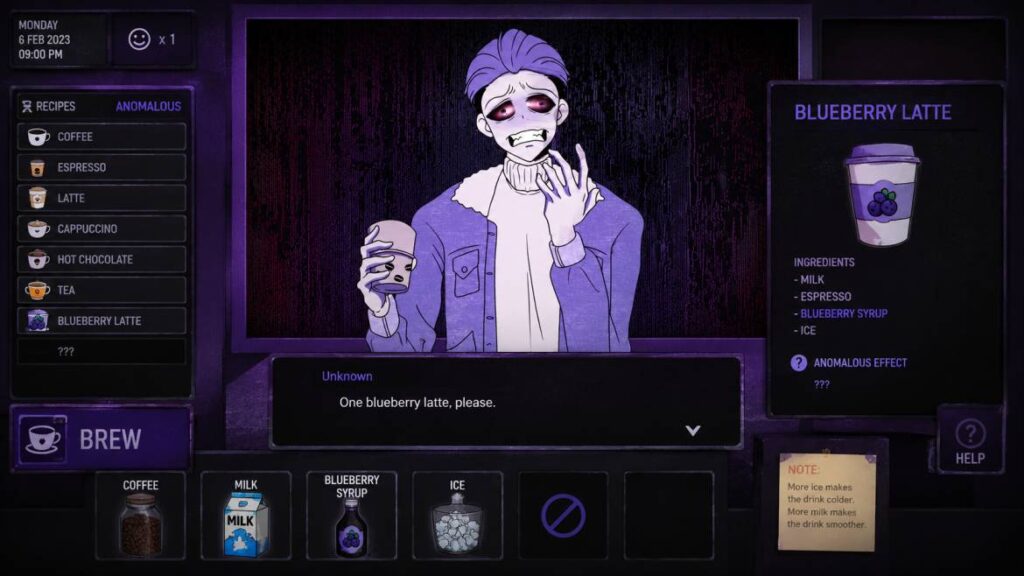
Once you find the input box, the loop is simple:
- You type a word.
- The coffee machine brews based on that word.
- The character drinks it.
- A transformation plays out based on what you typed.
Sounds basic, right? But here’s the thing – not every word you type will work. The game has its own internal dictionary of valid words, and if you type something it doesn’t recognize, you just get a cup of plain brown coffee with zero effect.
I tested this myself by typing a bunch of random words I assumed would work – things like “happy,” “rain,” random object names – and most of them just gave me boring brown coffee. A little discouraging at first, not gonna lie.
Then I tried “cat” out of curiosity, and the coffee turned a noticeably different color before I even gave it to the character. That’s when I realized – the color of the coffee is basically a hint system.
So now, every time I type a word, I tap the cup first to check its color before handing it over. Plain brown? Skip it, try something else. Unusual color? That’s usually a sign something interesting is about to happen.
This small trick alone saved me a ton of wasted attempts.
The Anomalous Coffee Machine 2 Cheat Sheet – Detailed Breakdown
Okay, now let’s go through each code properly, with my actual thoughts and experiences using them.
The “Unlock Everything” Codes
formbruteloader
This one’s a game-changer if you’re impatient like me. Type this in, and every single transformation form in the game unlocks instantly – no grinding through individual words required.
I used this after about an hour of manual play, mostly out of curiosity to see what I was “missing,” and honestly seeing the full list of forms all at once was kind of overwhelming. There’s a lot more variety than I expected from a game that looks this simple on the surface.
horudevmode
This is the big one. Developer mode. Once you type this, it feels like the game just… opens up completely. Every hidden feature, every debug tool, everything becomes accessible.
If you only have time to try ONE code in this entire guide, make it this one. It basically gives you the “full” version of the game experience in one shot.
leXXbruteloader
This unlocks the more mature content sections in one go, for anyone who’d rather not unlock things gradually through normal play. I’ll be honest, I tried this mostly out of curiosity to see how the unlock system worked, and it does exactly what it says – instant access to that whole section.
The Reference Codes (Use These FIRST)
If I could go back and redo my first session, I’d type these two codes before anything else:
horuwords
This brings up a full, scrollable list of every valid word in the current version of the game. Genuinely wish I’d known about this on day one – instead of randomly guessing words for an hour, I could’ve just scrolled through this list and picked words I recognized.
horusynergies
This shows you every word combination/combo that exists in the game. If you’re someone who likes experimenting and seeing how different words interact with each other, this list is basically your roadmap.
My honest recommendation: type horuwords first, scroll through it, get a feel for what kind of words the game recognizes (animals, emotions, random internet slang, etc.), and THEN start experimenting manually if you want the “discovery” experience. It’s so much less frustrating this way.
Fun “Easter Egg” Codes (No Real Effect, But Cool)
debug, test, dev
Typing any of these brings up a small developer message in the top-right corner of the screen. Doesn’t do anything functionally, but it’s a nice little detail – made me smile when I first saw it, felt like finding a secret note left by the devs.
horu, horubrain
These trigger some playful, sassy comments from the author, also appearing top-right. Feels like an inside joke – if you’ve spent enough time in the game’s community, you’ll probably “get” the references. If not, it’s still a fun little surprise.
Starter Transformation Words I’d Recommend Trying
Once you’ve got the word list pulled up (or even before, if you want to test things blind like I did), here are a few words that are good starting points:
cat
This is basically the “hello world” of this game. The classic cat-girl transformation. I tried this first and it gave me a good baseline understanding of what a “successful” transformation looks like – color change, animation, the whole thing.
slime
This one’s interesting because you need to type it twice for it to fully trigger – I didn’t know this at first and thought it just wasn’t a valid word until I tried it again. Once it works, you can pair it with color words like red, blue, or yellow to get different colored slime variations. I spent way more time than I’d like to admit just cycling through colors for this one.
family
This one caught me off guard. The art style shifts pretty dramatically compared to other transformations – much more abstract and surreal. Wasn’t expecting that level of variety from a single word.
godot
A fun little reference to the Godot game engine (which a lot of indie games are built on). Has its own unique transformation. Felt like a nice nod to fellow indie devs/players who’d recognize it.
Quick clarification that confused me at first: cheat codes and these transformation words are NOT the same system. Codes are unlock tools – they don’t trigger transformation animations themselves. Words are what actually create the transformations. I made the mistake of typing “formbruteloader” expecting some kind of animation to play, and… nothing happened visually. That’s normal – it just silently unlocks content in the background.
How Special Scenes (CGs) Get Unlocked
After a lot of experimenting, here’s how I understand the CG system to work:
Specific words unlock specific scenes directly. Some words just have their own dedicated scene tied to them.
Combining words creates entirely new scenes. For example, pairing “slime” with a color word doesn’t just recolor the existing scene – it can actually trigger a different one altogether. This was honestly the most fun part for me, just trying random combos to see what would happen.
Repeating words sometimes “evolves” a scene further. I noticed this seemed inconsistent depending on what else I’d already unlocked, so it might be version-dependent.
The lazy/efficient method: if you don’t care about discovering things organically and just want the full gallery, horudevmode unlocks everything at once. You can then go back through it at your own pace without worrying about missing anything.
A Few Random Things I Noticed While Playing
Just some small observations that might help other players:
- The game auto-saves constantly. I closed the app mid-session a couple of times (phone calls, notifications, etc.) and never lost progress. One less thing to worry about.
- If you’re playing on a phone, the virtual keyboard can sometimes cover part of the screen depending on your device – if you can’t see the coffee cup color clearly after typing, try minimizing the keyboard first.
- Don’t expect any kind of save sync between devices. I tried switching from my phone to a tablet at one point and had to start completely fresh. Mildly annoying, but not a dealbreaker for a game like this.
Frequently Asked Questions
I typed a word and absolutely nothing happened. What gives?
Either you’ve got a spelling issue, or that word just isn’t part of this version’s dictionary yet. Pull up horuwords and pick directly from the confirmed list – saves a lot of guessing.
How do I unlock the mature content faster?
You can let it unlock naturally through normal play, or use leXXbruteloader to get that section instantly, or horudevmode for literally everything at once.
Will restarting the app reset my progress?
Nope. The game auto-saves continuously. Close it, reopen it, you’re exactly where you left off.
Does my progress carry over between Android and iOS, or different devices?
No. It’s a local, single-player save – no cloud sync. Switching devices means starting over.
I saw a form/transformation online that I can’t find in my game. Why?
Most likely it was added in a newer update than the version you’re running. Check for an update through wherever you downloaded the game.
Final Thoughts
Look, this isn’t some deep, complex game with intricate systems – it’s a fun, casual time-killer with surprisingly good variety once you actually figure out how it works. My biggest regret is not finding horuwords and horusynergies sooner, because that first hour of blind guessing could’ve been avoided entirely.
If you’re the type who enjoys discovering things naturally, start with those two reference codes to get your bearings, then experiment manually from there – it’s genuinely satisfying when you stumble onto a combo you didn’t expect. But if you just want to see everything the game has to offer without the trial and error, formbruteloader or horudevmode will get you there in under a minute.
Either way, hopefully this saves you from the same confused, tapping-random-corners-of-the-screen phase I went through. Good luck, and enjoy experimenting!