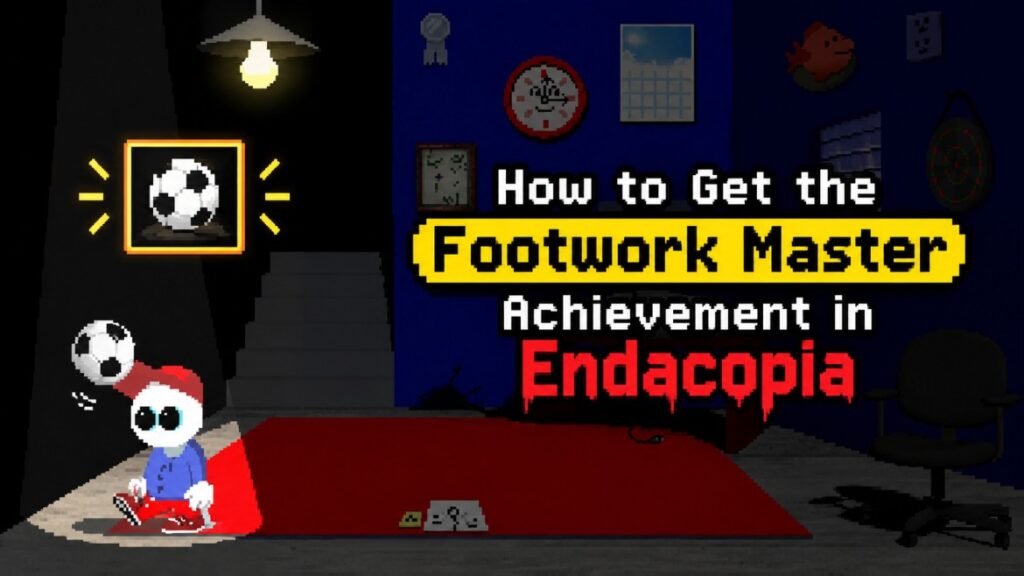
To unlock the Footwork Master achievement in Endacopia, you need to score 100 points with the soccer ball. This is not as simple as it seems. This one was a pain in my chest until I found the AutoHotkey method. You can also do it normally by timing your kicks, or use an autoclicker/script if you can’t complete this minigame.
How to Get Footwork Master
When you spawn in the Melow room, you can find a soccer ball on the floor. You can play with it normally, and to unlock Footmaster, keep the ball in the air and reach 100 points.
The only important thing about this minigame is its timing. You can only kick the ball when it passes over the white line marked KICK on the left.
If you want to unlock it without any script or autoclicker, then make sure to focus on the ball’s movement. Do not try to kick the ball randomly. The timing gets harder to maintain as your score goes up.
Here are some tips that you can follow:
- If the music is distracting you, then mute the game audio.
- Read the ball pattern and only click when it reaches the kick line.
- Keep a steady rhythm instead of random clicks.
You only need to reach 100 points for the achievement, so you can leave the ball once you have unlocked it.
Use an AutoHotkey Script
If you are struggling with the timing, you can automate the kicks with AutoHotkey v2.
The timing used by the script is based on the ball’s movement:
- First kick: about 1218 ms
- Following kicks: about 634.5 ms apart
- Mouse hold: 35 ms
The first kick takes longer because the ball starts from the floor. After that, the timing follows a regular pattern.
Create the Script
- Download & install AutoHotkey v2.
- Open AutoHotkey Dash from the Windows Start Menu.
- Select New script.
- Choose Empty and create the script.
- Open the new
.ahkfile. - Paste the script below and save it with Ctrl + S.
#Requires AutoHotkey v2.0
#SingleInstance Force
#MaxThreadsPerHotkey 2

; Forces 1ms timer resolution on Windows
DllCall("winmm\timeBeginPeriod", "UInt", 1)
OnExit((*) => DllCall("winmm\timeEndPeriod", "UInt", 1))

global firstDelay   := 1218.0
global loopInterval := 634.5
global holdTime     := 35.0
global running      := false
global hits         := 0

DllCall("QueryPerformanceFrequency", "Int64*", &qpcFreq := 0)
global qpcFreq

GetTimeMs() {
    DllCall("QueryPerformanceCounter", "Int64*", &count := 0)
    return (count * 1000.0) / qpcFreq
}

PreciseSleepUntil(targetMs) {
    global running
    while (running && GetTimeMs() < targetMs) {
        if (targetMs - GetTimeMs() > 2.0)
            Sleep 1
    }
}

; F8: Start / Stop
F8:: {
    global running, hits, firstDelay, loopInterval, holdTime
    running := !running

    if (!running) {
        ToolTip("STOP")
        SetTimer(() => ToolTip(), -1000)
        return
    }

    hits := 0
    ToolTip("Kicking...")

    ; 1. First kick from floor
    Click "down"
    PreciseSleepUntil(GetTimeMs() + holdTime)
    Click "up"
    hits++

    ; 2. Delay until first drop
    nextKickTime := GetTimeMs() + (firstDelay - holdTime)
    PreciseSleepUntil(nextKickTime)

    ; 3. Zero-drift loop
    while (running) {
        Click "down"
        PreciseSleepUntil(GetTimeMs() + holdTime)
        Click "up"
        hits++

        ToolTip("Score: " hits " / 100")

        if (hits >= 105) {
            running := false
            ToolTip("DONE! Achievement Unlocked.")
            break
        }

        nextKickTime += loopInterval
        PreciseSleepUntil(nextKickTime)
    }
}

; Esc: Emergency Stop
Esc:: {
    global running := false
    ToolTip("STOPPED")
    SetTimer(() => ToolTip(), -800)
}
How to Run the Script
Double-click the .ahk file that you have saved. You will see a small green H icon in the Windows system tray.
Now open Endacopia and go near the soccer ball.
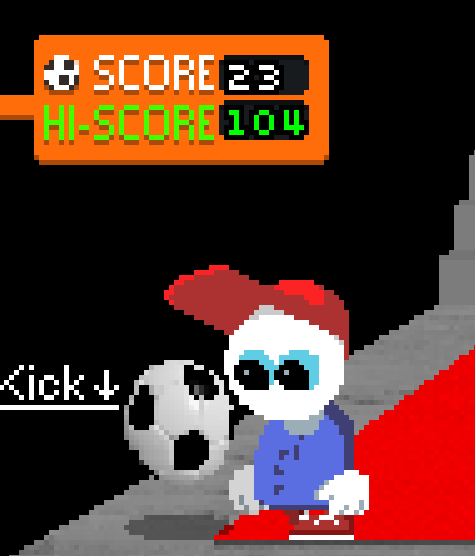
- Place your mouse over Mellow’s shoe, where the Kick ! prompt appears.
- Press F8 once.
- Leave the mouse and keyboard alone.
- The script will start kicking automatically.
- It also shows the current score and stops after passing the required score.
If the Script Misses
If the ball stops or the timing goes off, press F8 to stop the script.
Wait around 10 seconds for the minigame to reset and the ball to return to the floor. Line the cursor up with the shoe again and press F8 to try another run.
Other Autoclicker Timings
The exact timing can vary between autoclicker programs and setups. Some players reported success with different intervals, including:
- Around 630 ms with an autoclicker
- 600 ms with XClicker on Linux
- 590 ms with OP Auto Clicker
- Around 95.5 BPM when using a metronome
These are player-reported settings, not guaranteed values.
If you want to get the most consistent results, then consider the AutoHotkey script above because it uses a separate first-kick delay and then maintains the later rhythm.
Once you hit 100 points, the Footwork Master achievement will unlock.
Check out my other Endacopia Guides: