Do you want a specific fish, weapon, or other item in the How to Fish game? You can add any item, fish, or weapon to your inventory by changing your save file. This game stores its saves as editable .txt files. If you change the ItemID or add a new inventory entry, you can get many items instantly. This article lists the Item IDs of the How to Fish game, and I will also show you how to use them.
How to Cheat Items in How to Fish?
It is recommended to make a backup of your save file before editing anything. In case you mess with the save file, your game should not be ruined.
1. Find Your Save File
First of all, Open File Explorer and go to:
C:\Users\%USERNAME%\AppData\LocalLow\Dazed Games\How to Fish\Saves
You can also copy and paste this path directly into the File Explorer address bar.
Inside the folder, find the .txt file that has the same name as the save you want to edit.
2. Open the Save File
Open the save file with a text editor such as Notepad.
The save data needs to remain on one single line. Do not add line breaks or format the JSON.
If you accidentally add a line break, the game may no longer be able to read the save.
3. Add a New Item
You can add an item by placing a new inventory entry after the final item in the save file.
Use this entry:
{"Exists":true,"InventorySlot":0,"ItemID":*,"Cookness":0.0,"BettingMultiplier":1.0,"Weight":1.0,"KillScoreMultiplier":1.0,"IsDripCreature":false,"SkinIndex":0,"Sharpness":0,"Sight":0,"BarrelAttachment":0,"AmmoType":0,"ExtendedMag":false,"LaserSight":false}
Replace * with the ItemID of the fish or weapon that you want in your inventory. You can find all item IDs below.
You also need to increase the InventorySlot number so it does not use your slot that already exists.
For example, if your last item uses InventorySlot:5, use InventorySlot:6 for the new item.
Important: Make sure to put a comma before the new inventory entry when adding it after an existing item.
Change an Existing Item
You do not have to add a new entry if you already have an item that you want to replace.
Find its “ItemID”:… and replace the number with the ID of the item you want.
This is usually the easier option if you already have an inventory slot available.
Item Values You Can Edit
The save entry has more than just the item ID. You can also change several properties.
| Value | What it does |
|---|---|
Exists | Determines if the item exists (true/false) |
InventorySlot | Inventory position, from 0–9 |
ItemID | Determines which item you receive |
Cookness | Controls how cooked the item is |
BettingMultiplier | Multiplier gained through gambling |
Weight | Changes the item’s weight |
KillScoreMultiplier | Multiplier gained from fancy kills |
IsDripCreature | Turns the item into a special DRIP creature |
SkinIndex | Changes the item’s skin |
Sharpness | Melee weapon damage, from 0–15 |
Sight | Controls the sight attachment |
BarrelAttachment | Controls the barrel attachment |
AmmoType | Controls ranged weapon damage |
ExtendedMag | Enables the extended magazine |
LaserSight | Enables the laser sight |
Some values have limits in the game, while others can be pushed much higher. If you use high values, it can cause unexpected results or break things.
For example, setting a fish’s Weight to 10 makes it weigh 1 kg. Very large values can produce strange results, including integer overflow.
You can also set “IsDripCreature”:true on a fish to give it the DRIP property.
Not every value will work as you are expecting, though. For example, if you set AmmoType above its normal range, then it will not make your weapons deal massive damage. Values outside 0–12 can instead make the weapon deal no damage.
Likewise, changing ExtendedMag to true on a shotgun has no useful effect.
How to Fish Item IDs
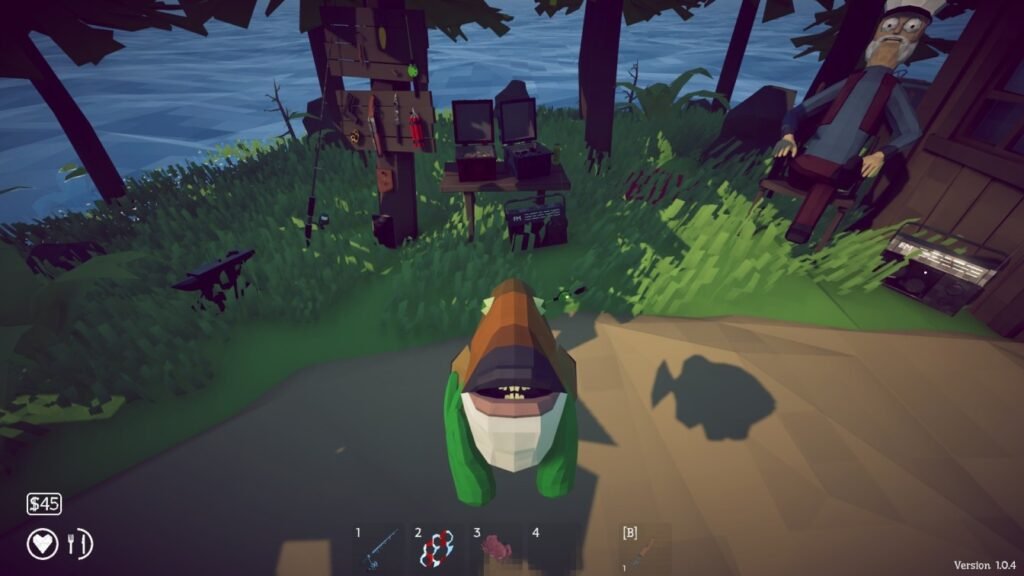
The following IDs are taken from the known save-file item list.
Do not use IDs that are not listed below. Unknown IDs can cause an item to disappear or may make the save file unusable.
Item IDs 0–42
| ID | Item |
|---|---|
| 0 | Angelfish |
| 1 | Anglerfish |
| 2 | Bass |
| 3 | Blobfish |
| 4 | Bluegill |
| 5 | Albatross |
| 6 | Blueshark |
| 7 | Bowhead Whale |
| 8 | The Old Pike |
| 9 | Giant Piranha |
| 10 | Goblin Shark |
| 11 | Mutated Bowhead Whale |
| 12 | Pufferfish |
| 13 | Spidercrab |
| 14 | Sunfish |
| 15 | Tuna |
| 16 | Bowlfish |
| 17 | Catfish |
| 18 | Clam |
| 19 | Clownfish |
| 20 | Cod |
| 21 | Brown Crab |
| 22 | Dripper |
| 23 | Eel |
| 24 | Flying Fish |
| 25 | Footsnail |
| 26 | Gar |
| 27 | Goby |
| 28 | Goldfish |
| 29 | Halibut |
| 32 | Lobster |
| 33 | Mackerel |
| 34 | Needlefish |
| 35 | Oarfish |
| 36 | Parrotfish |
| 37 | Perch |
| 38 | Pike |
| 39 | Piranha |
| 40 | Red Snapper |
| 41 | Salmon |
| 42 | Sea Urchin |
Some creatures have special behavior. Albatross, Giant Piranha, Mutated Bowhead Whale, Pufferfish, and Spidercrab can explode when equipped.
Item IDs 43–85
| ID | Item |
|---|---|
| 43 | Seagull |
| 44 | Seahorse |
| 45 | Sengarat |
| 46 | Shrimp |
| 47 | Stonefish |
| 48 | Superdwarf Fish |
| 49 | Tigerfish |
| 50 | Triggerfish |
| 51 | Voxelfish |
| 52 | Yellow Boxfish |
| 54 | Assault Rifle |
| 55 | Badball |
| 56 | Beer |
| 57 | Brass Knuckles |
| 58 | Brass Knuckles (Debug Clone, unusable) |
| 59 | Crab-Fishing Rod |
| 60 | Dynamite |
| 61 | Fishing Rod |
| 62 | Disc |
| 63 | Knife |
| 64 | Knife (Debug Clone, unusable) |
| 65 | Radar |
| 66 | Pistol |
| 67 | Radio |
| 68 | Shotgun |
| 69 | SMG |
| 70 | Sniper Rifle |
| 71 | Snowball (no function) |
| 72 | Snowball 2 (no function) |
| 73 | Snowball 3 (no function) |
| 74 | Albatross Head |
| 75 | Giant Piranha Skeleton |
| 76 | Pufferfish Fin |
| 77 | Spidercrab Shell |
| 78 | Whale Fin |
| 79 | Rock Crab |
| 82 | Bing Bong |
| 83 | Bing Bong |
| 84 | Meat Chunk (1k worth) |
| 85 | Meat Chunk (25 worth) |
IDs 58 and 64 are debug versions and are listed as unusable.
We also don’t know the actual functions of the three Snowball IDs.
Example: Getting a Specific Fish
Suppose you want a Salmon.
Its ItemID is: 41
If you are creating a new inventory entry, change the ItemID in the template to 41:
“ItemID”:41
Now assign it to an unused InventorySlot and type the complete entry into the save file.
Save the file, launch How to Fish, and check your inventory.
If the game does not load the save correctly, close the game and restore the backup you made before editing.
Important Save Editing Tips
- Always back up your save before making changes.
- Keep the entire save on one line.
- Use only known ItemIDs.
- Make sure every new inventory entry has the correct comma placement.
- Do not reuse an existing
InventorySlot. - Avoid extreme values unless you know what they do.
- Some items may not work correctly when manually added because they depend on random drops or other save variables.
- An ItemID can sometimes produce different items depending on other values in the save file.
This How to Fish game item list is not guaranteed to cover all possible game states, and some IDs have unusual behavior. If an item disappears or the save doesn’t load, restore the original backup rather than editing the broken file.